
Get more Amazon reviews with one link per book
ReviewLinker sends readers to the right Amazon review page automatically, so it's easier for them to leave a review.
Create the link. Add the QR code. See what's getting clicks.
Everything Amazon authors need to make it easier for readers to leave a review — all in one place.
One review link per book
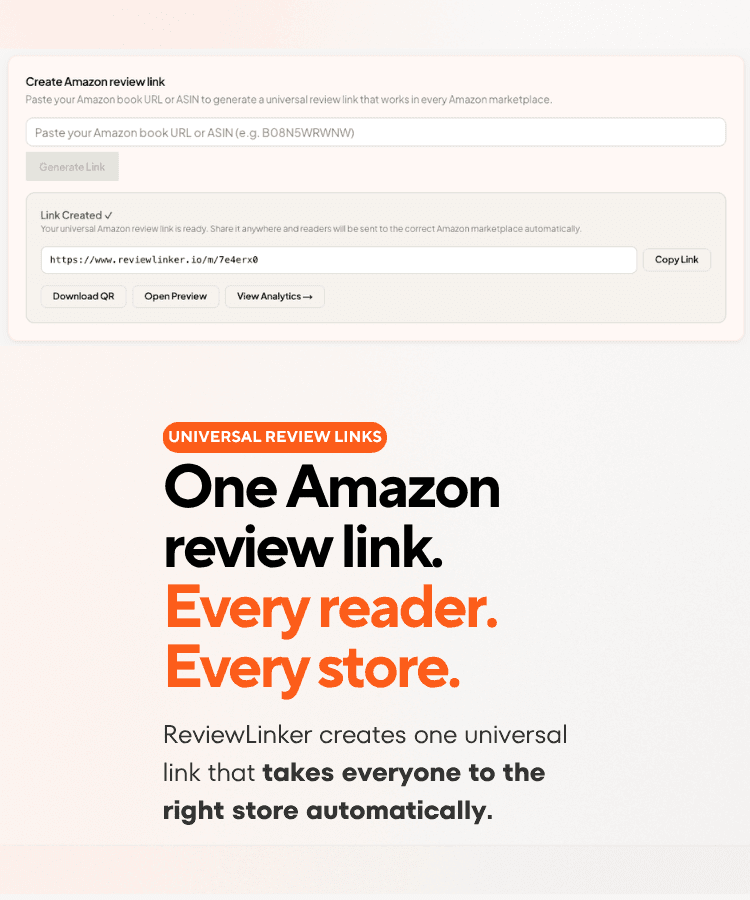
Send readers to the right Amazon review page automatically.
GLOBAL
Works across 14 Amazon stores
Readers land on their local store
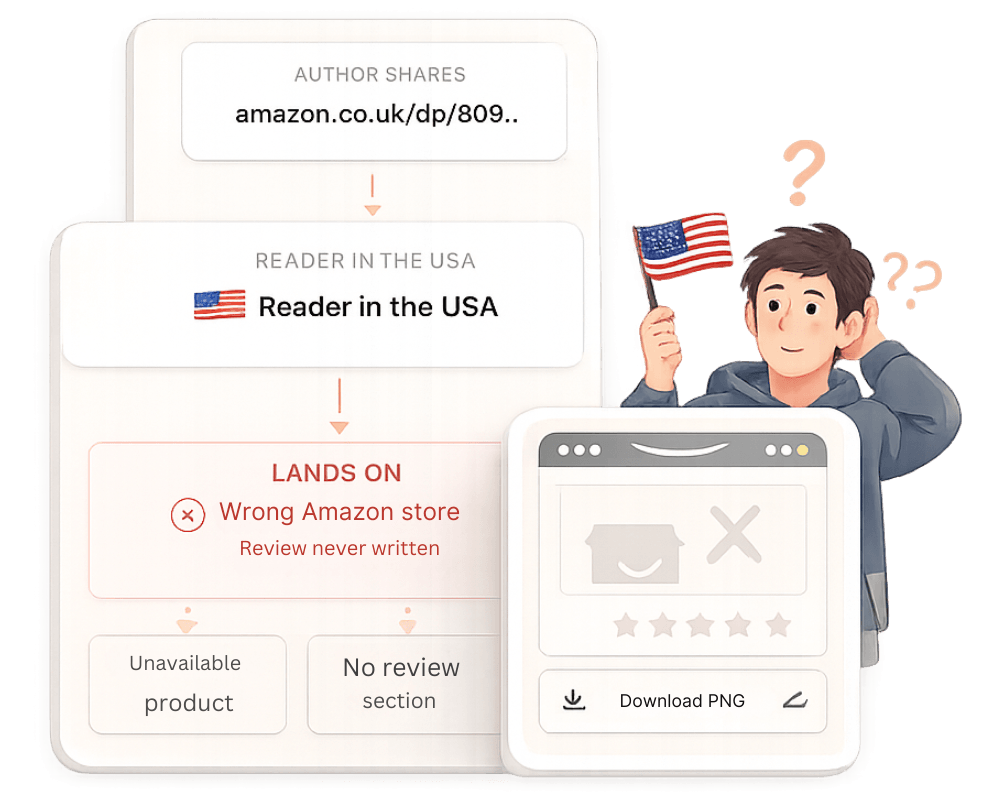
The wrong Amazon link can cost you reviews
A reader can click your link and land on the wrong Amazon page.
Instead of leaving a review, they might:
- see an unavailable book
- miss the right review page
- give up and leave
That small bit of friction is often enough to lose the review.
How it works
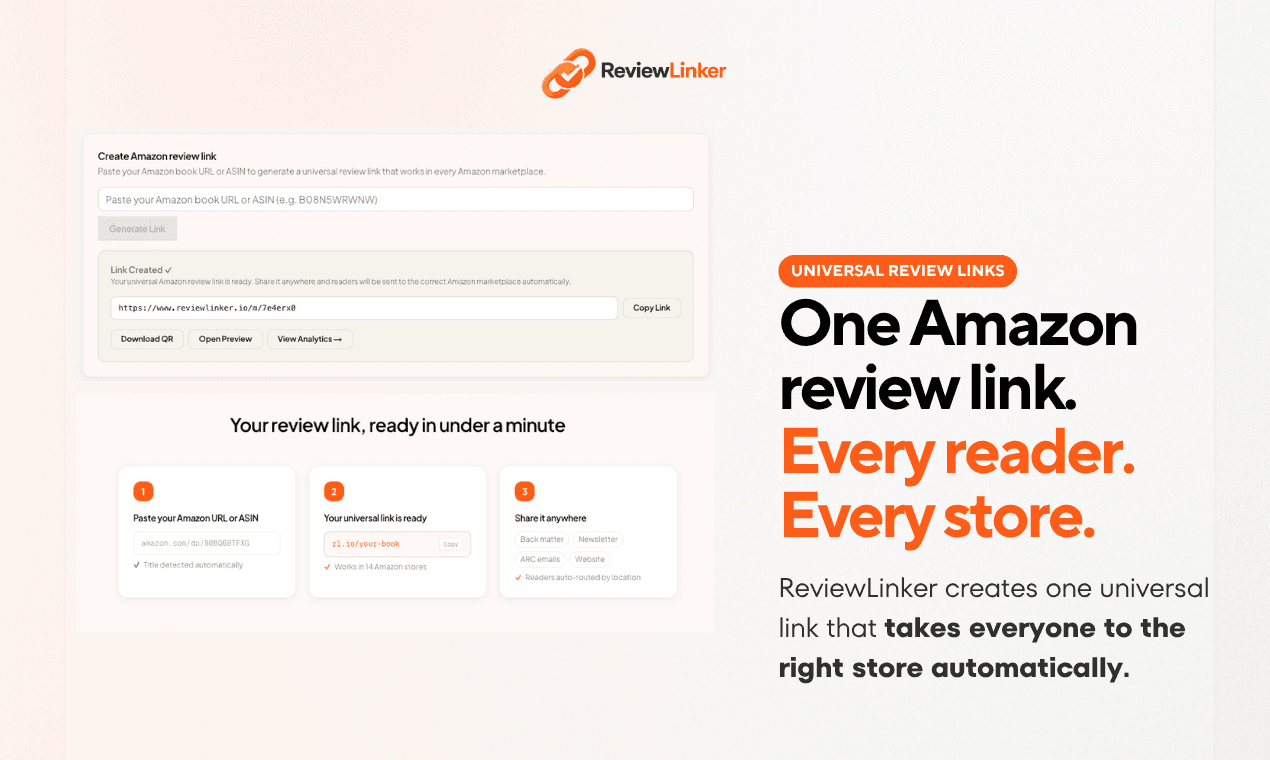
Get your review link in 3 simple steps
Paste your Amazon book link, get your review link and QR code, and send readers to the right Amazon page automatically.
Step 1
Paste your book link
Paste your Amazon book URL or ASIN.
Step 2
Get your review link
Get one review link and a QR code for the back of your book.
Step 3
Readers land on the right Amazon page
So it's easier for them to leave a review.
More than just a review link
ReviewLinker helps authors send readers to the right Amazon page, add QR codes to the back of their book, and see what's getting clicks.
International routing
Readers land on the right Amazon page
Share one link and ReviewLinker sends each reader to the right Amazon page automatically.
No wrong store. No lost reviews.
“I had readers in the US clicking my UK link and ending up on the wrong store. This fixed it straight away.”
Sarah M.
Historical Fiction Author
Scan to review
reviewlinker.io/m/ab3x9qr
QR codes
Turn the back of your book into a review shortcut
Create a QR code for each book and add it to the back of your book, bookmarks, or handouts.
Readers scan and go straight to the right Amazon page.
Analytics
See what's getting clicks
See which books and countries are getting clicks, so you know what's working and what to do more of.
“Seeing where clicks were coming from helped me focus my ARC follow-up a lot more.”
Elena R.
Romance Author
Clicks by country
Last 30 daysReader finishes your book
They scan your QR code or tap your link
They land on the right Amazon page
They leave a review
For print books
Make it easy for finished readers to leave a review
Add a QR code or short link to the back of your book. Readers scan, land on the right Amazon page, and can leave a review straight away.
Make it easier for finished readers to leave a review.
From scan to review in seconds
Make it easy for finished readers to leave a review.
Step 1
Reader scans the QR code in your book
Step 2
They're sent to the right Amazon page automatically
Step 3
They land on the right review page
Step 4
They leave a review
Most link tools stop at the link
ReviewLinker helps readers get all the way to the right Amazon review page, so it's easier for them to leave a review.
Basic link tools
- Readers still have to find the review page
- Readers can land on the wrong Amazon page
- No easy option for paperback books
- Little or no insight into what's working
- You need different tools to do the job
ReviewLinker
- Sends readers straight to the review page
- Each reader goes to the right Amazon page
- QR codes for paperbacks and digital books
- See which books and countries are getting clicks
- Everything in one place
Basic link tools
ReviewLinker
Readers still have to find the review page
Sends readers straight to the review page
Readers can land on the wrong Amazon page
Each reader goes to the right Amazon page
No easy option for paperback books
QR codes for paperbacks and digital books
Little or no insight into what's working
See which books and countries are getting clicks
You need different tools to do the job
Everything in one place
Free for up to 3 books. No credit card required.
Start free with up to 3 booksLimited launch pricing for the first 200 authors
Simple pricing for Amazon authors
Start free with up to 3 books. Upgrade when you want unlimited books and deeper stats.
Free
Perfect for getting started with up to 3 books.
No credit card required.
- Up to 3 books
- One review link per book
- QR codes for your books
- Basic click stats
- Unlimited books
- Advanced analytics
- Amazon store preview tool
- Custom link slugs
Cancel anytime. No risk.
Pro
MonthlyBest for authors who want unlimited books and more detail.
Launch pricing locked in while active.
- Unlimited books
- Advanced analytics
- Amazon store preview tool
- Custom link slugs
- QR codes for every book
- Works across 14 Amazon stores
Create your account first, then continue to Pro.
Start getting more Amazon reviews today
Free for up to 3 books. No credit card required.
Get started free- No credit card required
- Free for up to 3 books
- Works across Amazon marketplaces
Quick answers before you start
Everything you need to know before you create your first review link.
Yes. The free plan includes up to 3 books with no credit card required. You can create review links, generate QR codes, and see basic click stats.
When a reader clicks your link, ReviewLinker sends them to the right Amazon page automatically. You share one link, and readers from different countries go to the correct Amazon store.
ReviewLinker works across 14 Amazon stores, including the US, UK, Canada, Germany, France, Italy, Spain, Japan, and Australia.
Usually less than a minute. Paste your Amazon book URL or ASIN, and your review link and QR code are ready straight away.
Yes. Every book gets a QR code you can download and add to the back of your book, bookmarks, or handouts.
Yes. You can cancel anytime from your account settings. There are no long-term contracts, and your free plan stays active if you cancel Pro.